
Settings
Allows defining several options that affect the system’s three modules. They are classified into global settings, and settings for EQUINOX Core, EQUINOX Configurator and EQUINOX Web
Global settings
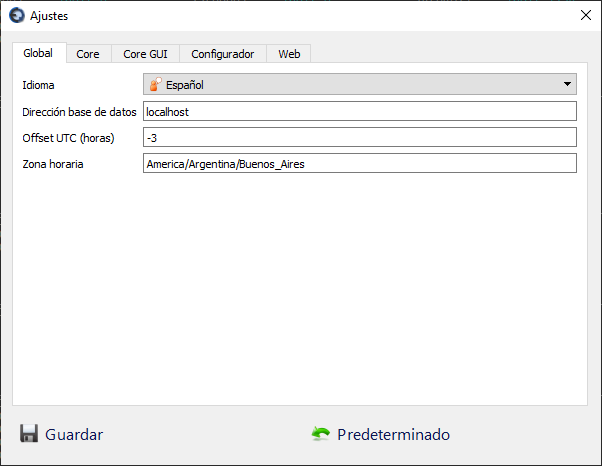
| Setting | Description |
|---|---|
| Language | Select Spanish or English; the system must be restarted for the changes to take effect |
| Database address | Allows entering an IP or host of the PostgreSQL database server, in case it was moved to another server |
| UTC offset | Time zone, used for time synchronization via DNP, expressed as an offset from UTC (e.g.: UTC -3) |
| Time zone | This parameter is currently not in use |
Settings related to EQUINOX Core
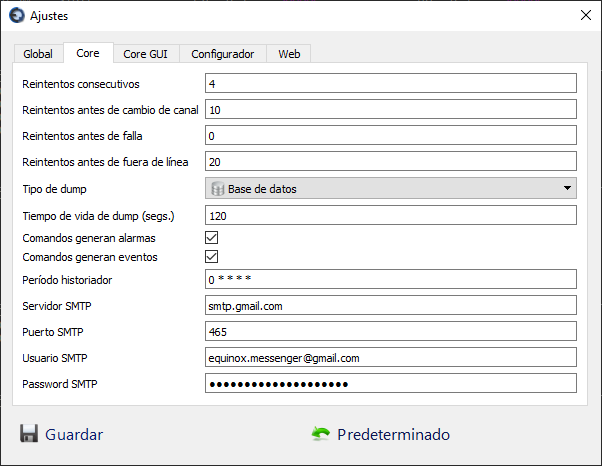
| Setting | Description |
|---|---|
| Consecutive retries | In case of no response to a poll of a Device, indicates how many retries will be performed immediately on the same Scan group. If other Devices share the Channel, they will remain on hold until the retries finish or the Device responds. |
| Retries before changing channel | Number of non-responses (consecutive or not) that must accumulate before declaring the Channel offline and forcing a switch to another Channel. This setting is not taken into account for Devices that have only one Channel. |
| Retries before failure | Number of non-responses (consecutive or not) before declaring a Channel as failed, rendering it unusable. If the value is 0, a Channel will never be declared as failed. This setting is not taken into account for Devices that have only one channel. |
| Retries before offline | Number of non-responses before declaring a Device offline, generating the corresponding alarm. |
| Dump type | If enabled, all point readings are periodically stored, so that if the project is restarted, an initial state of them is available at the end of the restart, avoiding the massive generation of alarms due to changes. The dump can be stored on disk or in the database. |
| Dump lifetime | Time in seconds during which the last recorded dump is considered up to date. If the project was inactive for longer than this, the initial state that would otherwise be taken from this dump will be discarded. |
| Commands generate alarm | Determines whether the execution of remote commands generates alarms or not. |
| Commands generate events | Determines whether the execution of remote commands generates events or not. |
| Historian period | Text string in cron format that determines the execution period of the historian’s snapshots |
| SMTP server | SMTP server used for sending email alerts |
| SMTP port | SMTP port used for sending email alerts |
| SMTP user | SMTP user used for sending email alerts |
| SMTP password | SMTP password used for sending email alerts |
Settings related to the EQUINOX Core user interface
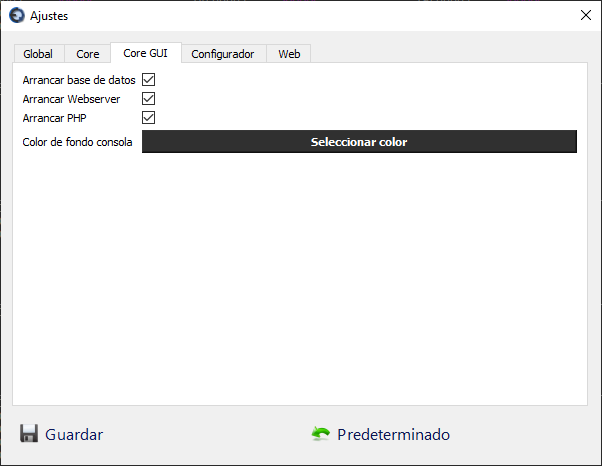
| Setting | Description |
|---|---|
| Start database | Determines whether the database is started together with EQUINOX Core |
| Start Webserver | Determines whether the web server is started together with EQUINOX Core |
| Start PHP | Determines whether PHP is started together with EQUINOX Core |
| Console background color | Defines the background color used in the text boxes of the EQUINOX Core tabs |
Settings related to EQUINOX Configurator
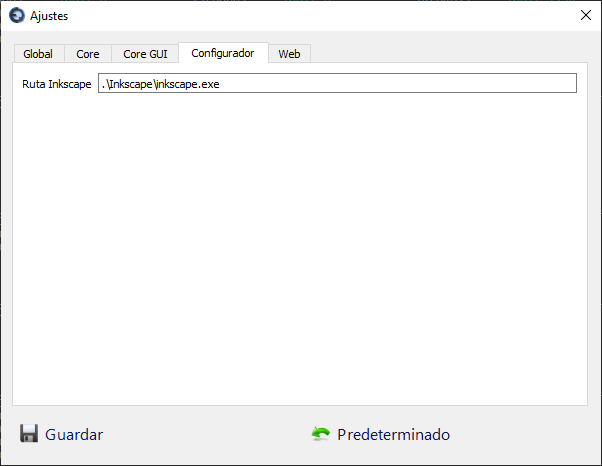
| Setting | Description |
|---|---|
| Inkscape path | Path to the directory where Inkscape (vector graphics editor) resides |
Settings related to EQUINOX Web
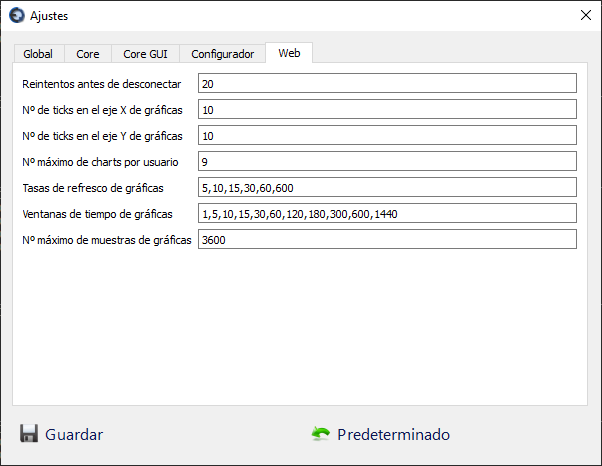
| Setting | Description |
|---|---|
| Retries before disconnecting | In case communication with the web server is interrupted, how many retries will be attempted before showing the message “Attempting to reconnect…” |
| Number of ticks on the chart X axis | How many ticks will be shown on the X axis of the charts in EQUINOX Web |
| Number of ticks on the chart Y axis | How many ticks will be shown on the Y axis of the charts in EQUINOX Web |
| Maximum number of charts per user | Maximum number of charts a user can define |
| Chart refresh rates | Comma-separated list of values in seconds that the user can select for the chart refresh rate |
| Chart time window | Comma-separated list of values in minutes that the user can select for the chart time window |
| Maximum number of chart samples | Maximum number of samples retained in the browser’s memory. A high number could impact browser performance |