
Tasks
Allows the periodic execution of scripts or programs, which must be stored in the “task” subfolder within the program folder.
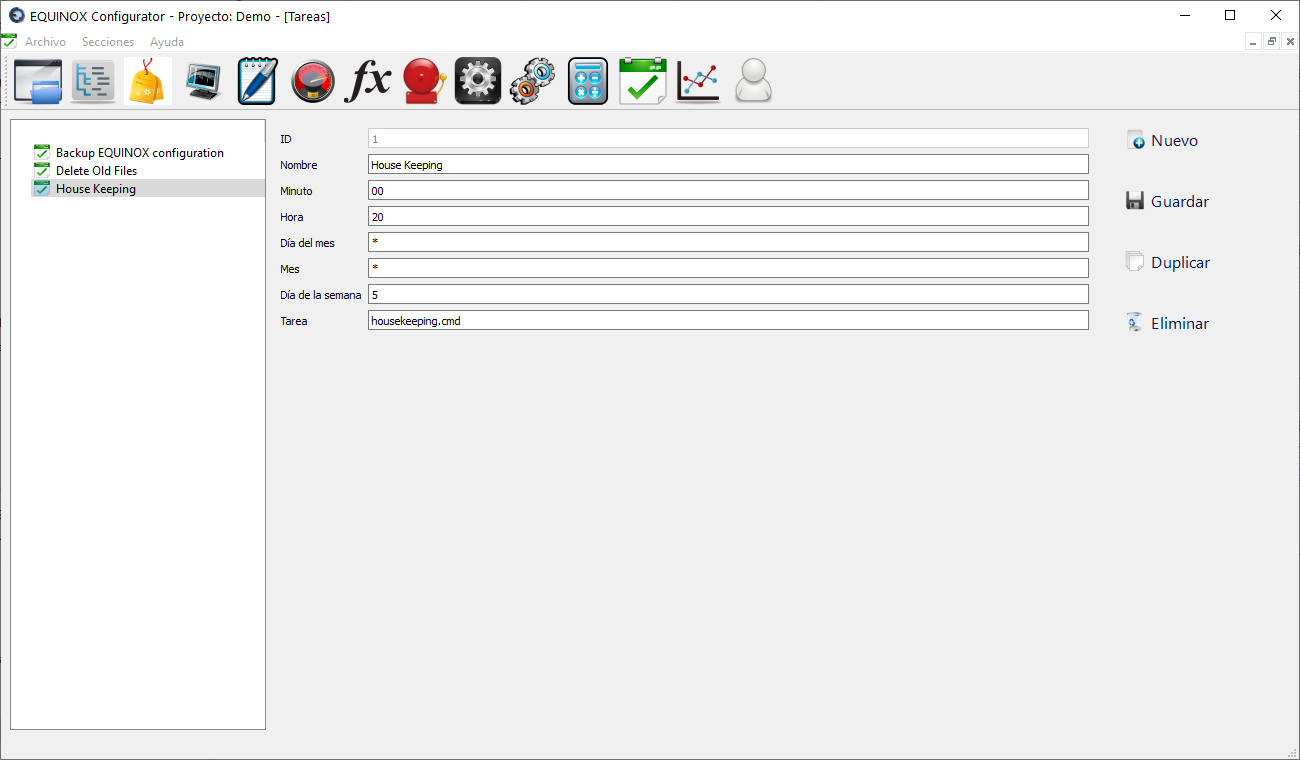
Screenshot
Definition
- Click New in the upper right area of the window
- Fill in the following fields
Field Description Name Name of the task Day of the week Numeric value from 0 to 6 (Sunday=0, Monday=1, Tuesday=2, Wednesday=3, Thursday=4, Friday=5, Saturday=6) or “*” for every day Month Numeric value from 1 to 12 or “*” for every month Day of the month Numeric value from 1 to 31 or “*” for every day Hour Numeric value from 0 to 23 or “*” for every hour Minute Numeric value from 0 to 59 or “*” for every minute Task Name of the file located in the “task” subfolder within the program folder, which will be executed according to the schedule defined - Click “Save”
Other buttons
| Button | Description |
|---|---|
| Duplicate | Creates a new task with the same settings |
| Delete | Deletes the task |