
Limit Sets
System points related to registers of an analog nature, both input and output, can be assigned to a Limit Set.
Each Set defines a group of six numeric values (three upper limits and three lower limits) used to inform the user, through generated alarms, of situations in which the register’s value exceeds, or stops exceeding, each of them. Alarms will be generated if the corresponding point is enabled for it.
It allows alerting the operator when defined values of analog quantities are exceeded, such as temperatures, levels, pressures, flow rates, etc.
A specific Text Set must be defined for Limit Sets, containing the texts to display when a limit alarm occurs. This Set must contain 12 indications with texts of this type:
| Indication | Text |
|---|---|
| 1 | LOWER LIMIT 3 VIOLATION |
| 2 | LOWER LIMIT 2 VIOLATION |
| 3 | LOWER LIMIT 1 VIOLATION |
| 4 | UPPER LIMIT 1 RETURN |
| 5 | UPPER LIMIT 2 RETURN |
| 6 | UPPER LIMIT 3 RETURN |
| 7 | LOWER LIMIT 3 RETURN |
| 8 | LOWER LIMIT 2 RETURN |
| 9 | LOWER LIMIT 1 RETURN |
| 10 | UPPER LIMIT 1 VIOLATION |
| 11 | UPPER LIMIT 2 VIOLATION |
| 12 | UPPER LIMIT 3 VIOLATION |
Screenshot
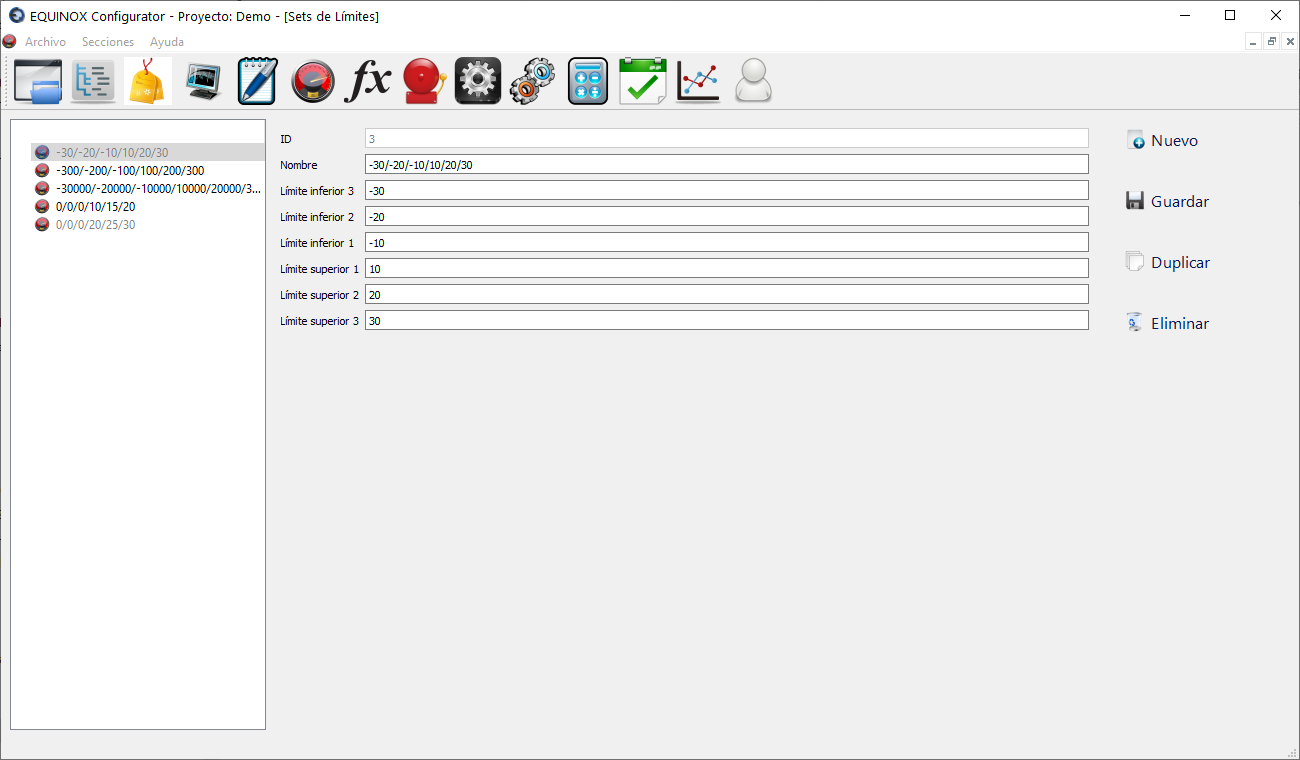
Definition
- Click New in the upper right area of the window
- As an example, we will use a measurement whose normal range varies from -100 to 100:
- Fill in the following fields
Field Description Name Name of the Set. It will be shown under this name in the corresponding column of the Points section Lower Limit 3 -300 Lower Limit 2 -200 Lower Limit 1 -100 Upper Limit 1 100 Upper Limit 2 200 Upper Limit 3 300 - Click “Save”.
- From now on the new Set will be available to be assigned in the Points section